Groovier Font Review for Embroidery Projects
As a designer who’s spent years working with machine embroidery designs, I’ve seen my fair share of fonts that look great on screen but fall apart in real-world applications. Groovier is one that caught my attention—not just for its visual flair, but for how it translates into actual embroidery work. If you're looking for a font that can elevate your custom apparel, handmade products, or digital design assets, this one deserves a closer look.
The First Impression: A Bold and Playful Vibe
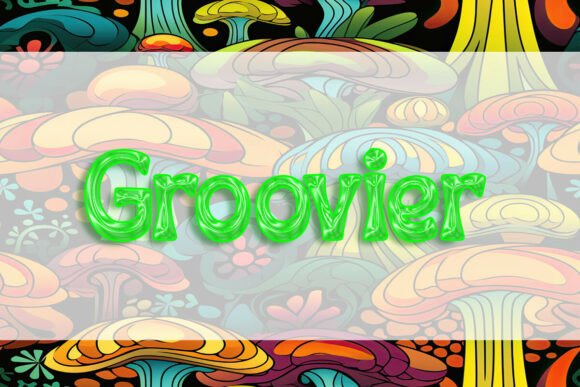
From the moment I opened the Groovier font file, I noticed its confident, almost rebellious personality. The letterforms have a dynamic curve and a slightly uneven stroke that gives it a hand-crafted feel. It’s not the kind of font you’d use for a corporate logo, but it’s perfect for projects that need a little more personality—think indie brands, boutique shops, or personalized gifts. The design feels like it was made to be stitched, not just printed.
Its layout is clean and modern, with enough detail to stand out without being overwhelming. That makes it ideal for embroidered patches, tote bags, or even baby items where clarity matters. The overall mood is fun, yet professional enough for commercial use.
Real-World Embroidery Performance
I tested Groovier on a few different fabrics and hoop sizes to see how it handled in real-life scenarios. On a standard cotton t-shirt, it looked sharp with a medium stitch density. The satin stitch worked well for the main letters, while the fill stitch added subtle texture. But when I tried it on a thin, stretchy fabric like a sweatshirt, the design started to lose some definition. That’s something to keep in mind if you’re planning to use it on delicate or stretchy materials.
For a custom embroidered tote bag, Groovier held up nicely. The larger size allowed for clear stitching without too much crowding. But if you’re working on a smaller project like a cap or a baby onesie, you might need to adjust the scale. Tiny lettering can get lost in dense stitch areas, so it’s best to avoid using it for anything that requires fine details.
One thing I noticed is that Groovier works better on light-colored fabrics. On dark backgrounds, the contrast isn’t as strong, which could affect the visibility of the design. If you’re planning to use it on a black shirt or a dark tote bag, consider adjusting the thread color or adding a white background in the design.
Where to Use Groovier with Confidence
Groovier shines in projects that benefit from bold, eye-catching text. It’s perfect for:
- Custom apparel like sweatshirts and t-shirts
- Embroidered patches and caps
- Tote bag designs and kitchen towels
- Baby items with playful typography
- Holiday gifts and personalized presents
- Small business merchandise and Etsy listings
If you're running a craft business or selling handmade products, this font can add a unique touch to your offerings. It’s also great for printable mockups and digital product previews, as it maintains its character even when scaled down.
When to Be Cautious with Groovier
While Groovier is versatile, there are a few situations where it might not perform as well. For example, if you're working with a small hoop, the design may require resizing or splitting into sections. Thin or textured fabrics can also cause issues, especially if the stitch density is too high. In those cases, a running stitch or a lighter fill might be better.
On curved surfaces like caps or hats, the font can appear stretched or distorted. It’s important to test it on a sample before committing to a full project. Similarly, if you’re planning to use it for layered garments or decorative accents, make sure the design doesn’t clash with other elements.
How Groovier Enhances Your Embroidery Projects
Using Groovier can make a big difference in the visual appeal of your finished product. Its unique style adds personality to custom apparel and handmade items, making them stand out in a crowded market. For small shop owners and Etsy sellers, this can translate into higher customer engagement and better brand recognition.
It also helps with professionalism. When clients see a well-designed, clearly stitched font, they’re more likely to trust your craftsmanship. Whether you’re creating a personalized gift or a commercial embroidery project, Groovier can help elevate the overall quality of your work.
Practical Tips for Using Groovier
Before jumping into a full project, here are a few things I recommend:
- Test the design on scrap fabric to check stitch clarity and stability
- Adjust thread colors for optimal contrast on different fabric backgrounds
- Review the stitch density to ensure it works for your hoop size
- Inspect small details to avoid any distortion during stitching
- Use proper stabilizer for stretchy or delicate fabrics
- Confirm licensing terms before selling finished products or digital files
These steps can save you time and prevent headaches down the line. They also help ensure that your Groovier-based designs look their best, whether they’re for personal use or commercial sale.
Final Thoughts: A Great Choice for Creative Projects
Groovier is a font that balances style with practicality. It’s not the most minimalist option, but its character and versatility make it a strong choice for a wide range of embroidery projects. Whether you're designing for a craft fair, an Etsy shop, or a custom client order, this font can add a fresh, modern edge to your work.
As long as you take the time to test it and adjust for your specific needs, Groovier can become a valuable addition to your design toolkit. Just remember to respect its limitations and use it where it truly shines. With the right approach, it can turn any embroidery project into something memorable.